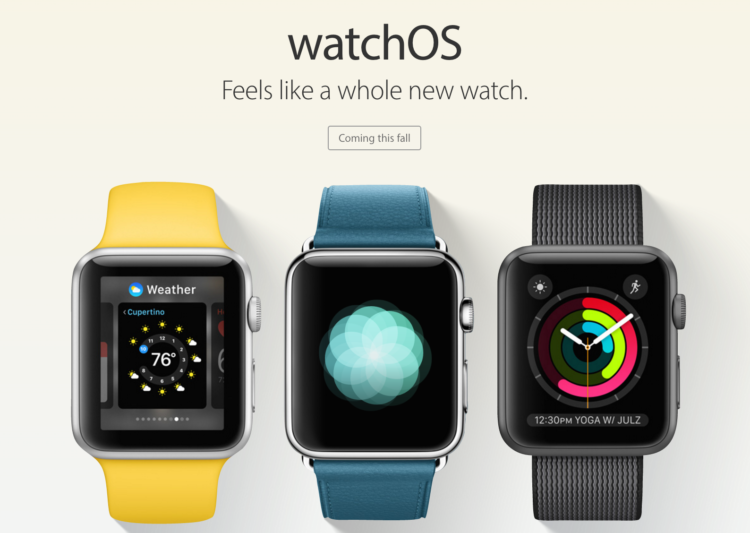
Apple officially released the new iOS 10 along with watchOS 3 update for Apple Watch but a lot of people have been facing the issue that they can’t see the new download on their Apple Watch to update to the new watchOS 3? Well – we have a fix!
Fix for watchOS 3 download
The thing is that if you have previously been using beta software, try deleting the beta profile (on each device, if installed on both) and then restarting both devices. That should fix the issue.
The new watchOS 3 comes with exciting new features:
- Thanks to watchOS3, users can easily and smoothly switch among the new watch faces with edge gestures from either side of the display panel.
- Thus far, some first-party apps, like Music, Home and Find My Friends already have their own watchOS 3 complication.
- Users will also notice the addition of new weather complication that would come in handy with the temperature complication.
- Additionally, watchOS 3 offers a new dock to house all of the recently used apps and user favorites for faster access.
- Other new features that watchOS 3 brings with it include the long-rumored Breathe app and the enhanced Reminders, Find My Friends and Heart Rate apps.
- The new Apple Watch operating system also comes with handwriting recognition support, so users can send texts by just writing on the screen of their timepiece.
Before downloading and installing the watchOS 3, users must ensure first that their paired iPhone device should already be running iOS 10. When the new mobile OS for the Apple smartphone is installed, users can download watchOS 3 by clicking on Software Update under the General settings.
Leave a Reply